Previewing files in chat
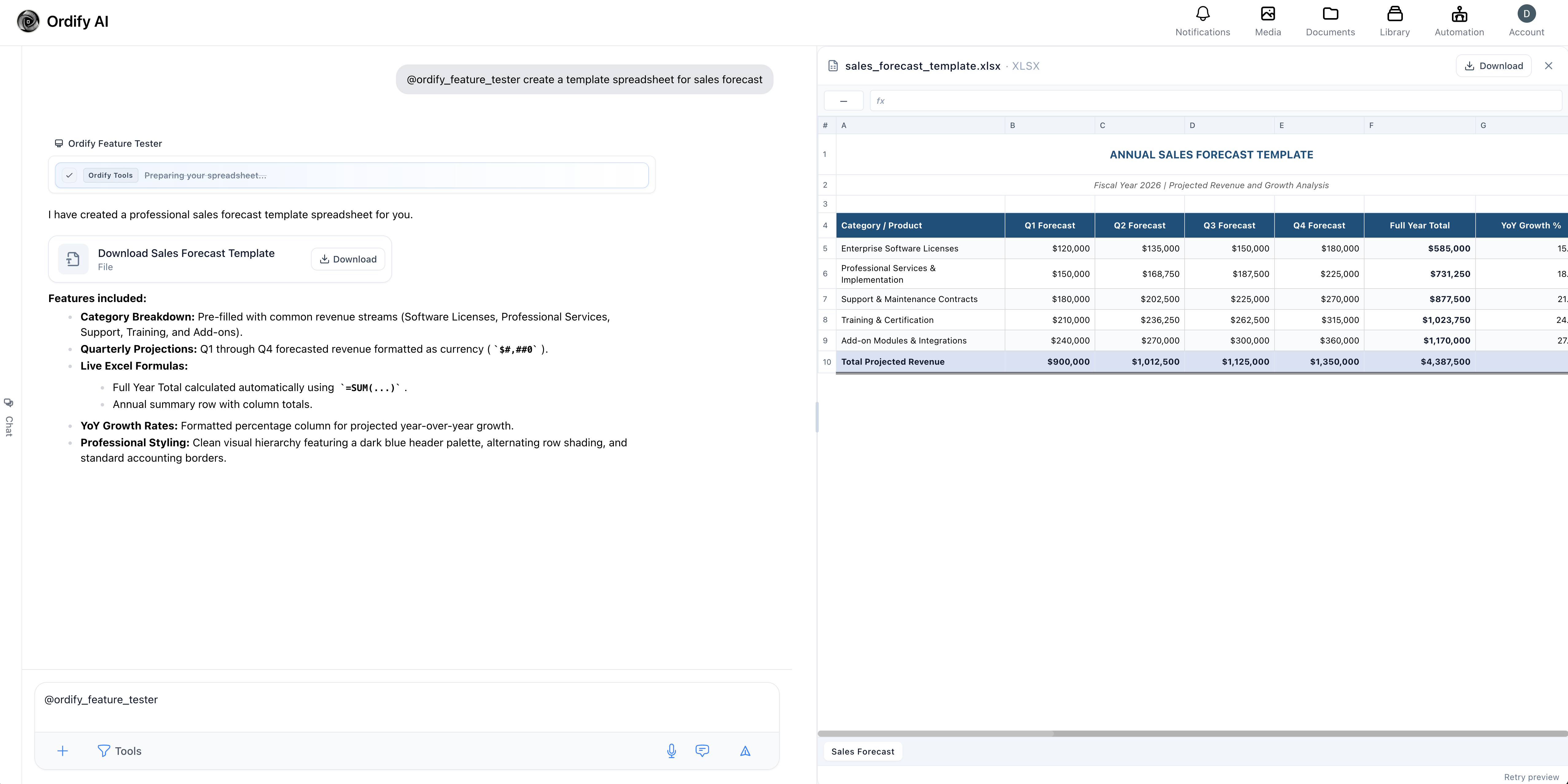
Files that appear in a conversation can be opened in a preview panel beside the chat. You can read them without downloading, and without losing your place in the conversation.
Select a file card in the conversation to open it.
What you can preview
| Type | What you get |
|---|---|
Spreadsheets (.xlsx) | An interactive grid with cell colors and number formats preserved. Select a cell to see its value and formula in the formula bar. |
Documents (.docx) | A high-fidelity rendering that keeps the document's original layout and formatting. |
| PDFs | Full document rendering. |
| Images | Inline display. |
| Markdown and text | Rendered inline. |
Anything else can still be downloaded from the panel.
Downloading
Every preview has a download button. Files download through an authenticated connection, so private documents stay private — a preview link is not a public URL.
Working alongside the conversation
The panel opens beside the chat rather than over it, so you can keep asking questions about a file while looking at it. Close it with the close button when you are done.
The preview clears when you switch to a different conversation.
What's next
- Chat basics — attachments, sessions, and conversation controls
- Drive — store and organize files for reuse
- Create a job — build jobs that produce documents and spreadsheets