Blueprints
Blueprints are reusable structures for creating consistent content with an AI agent. A Blueprint defines the parts of an output, their order, and which parts should stay stable or be drafted from the context you provide.
Blueprints give teams a repeatable starting point without removing human review. Always check generated content against its source material before you share it.
Why use Blueprints
- Consistency: Reuse an intended structure and standard language.
- Speed: Start from an established outline instead of a blank page.
- Control: Decide section by section what stays fixed and what an agent drafts.
- Repeatability: Apply the same process to recurring work across clients, projects, and teams.
How Blueprints work
- Create or choose a Blueprint for the kind of content you need.
- Review its structure and instructions.
- Give an agent a brief and supporting context.
- Review and edit the result before saving or sharing it.
You can also work with Blueprints from a conversation by enabling the Blueprints tool on an agent — see Use a Blueprint from an agent in chat.
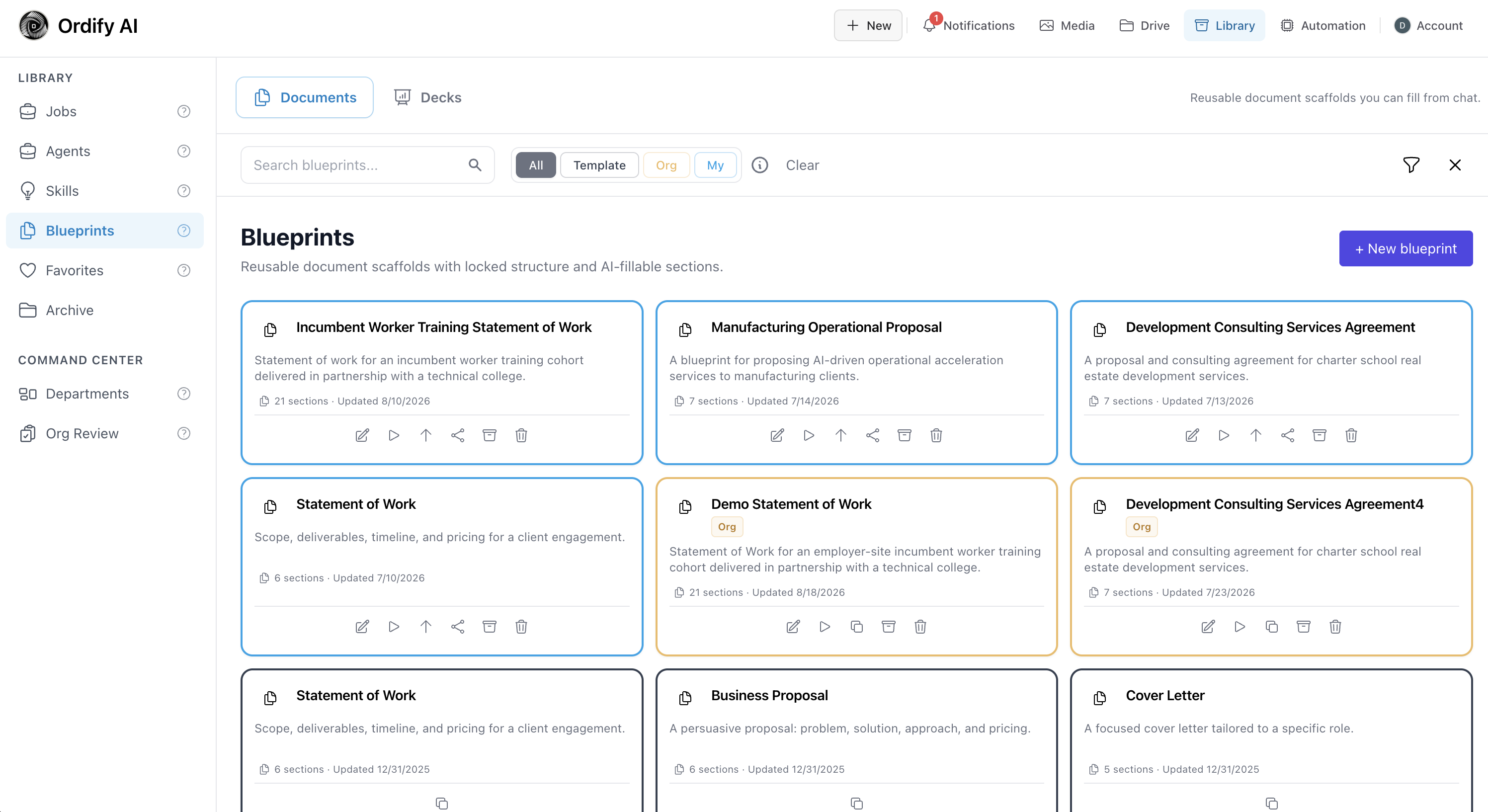
Browse saved Blueprints or select + New blueprint from the Blueprint Library.
Categories
- Documents — reusable or living document structures for proposals, statements of work, meeting notes, status reports, and résumés.
- Decks — reusable presentation starters for the deck wizard.
Documents
Document Blueprints divide a document into sections and define how each section should behave. You can create one from an uploaded document or a written description, then use the guided Setup → Context → Details → section review workflow to produce a document.
Open the Blueprint Documents guide →
Use cases
- Sales: Reuse a proposal structure while drafting client-specific scope and timelines.
- Operations: Create recurring status reports with consistent headings and review steps.
- HR: Maintain standard document structure while adding role- or candidate-specific content.
- Consulting: Build statements of work from an approved brief and supporting material.
- Individuals: Maintain a résumé or CV as a living document over time.
What's next
- Blueprint Documents — create, configure, use, and review document Blueprints.
- Decks — build presentations with the deck wizard.
- Use a Blueprint from an agent in chat — let an agent find and fill Blueprints in conversation.
- Create an agent — set up an agent that can draft document content.
- Drive — find and organize documents in Ordify.