API
Create custom applications with your Ordify agents using the Ordify API. Build integrations, automate workflows, and connect your agents to external systems programmatically from trusted server environments.
Overview
The Ordify API lets you:
- Build custom applications: Create your own apps that leverage Ordify's AI agents
- Integrate with external systems: Connect Ordify agents to your existing tools and platforms
- Automate workflows: Build automated processes that use your agents
- Test and debug: Use interactive documentation to test API integrations
To add an Ordify agent chat UI to a website (React, WordPress, or script tag), use publishable keys and the Web App guide — not secret API keys in the browser.
Getting started
Access API Management
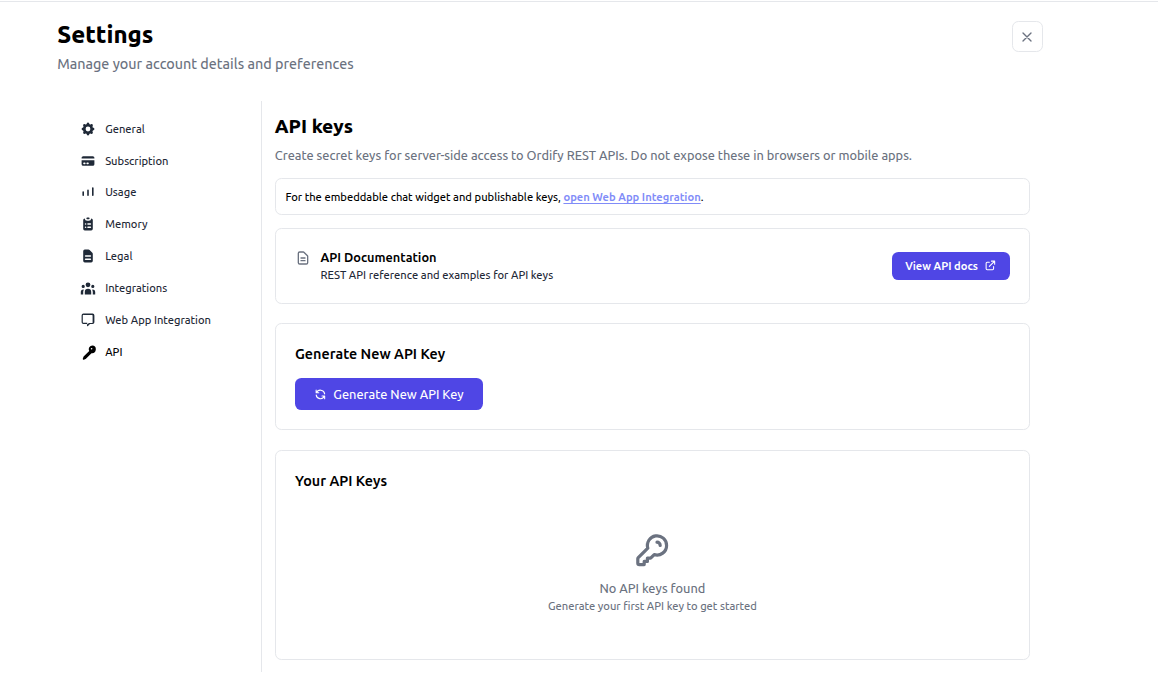
- Navigate to Settings → API
- View your existing API keys or generate new ones
- Access interactive documentation to test API calls
Generate a new API key
- Go to Settings → API
- Click Generate New API Key
- Copy the key immediately — it won't be shown again
- Store your API key securely
Manage API keys
- View All Keys: See all active API keys with creation dates and expiration information
- Copy Keys: Click the copy icon to copy a key to your clipboard
- Delete Keys: Remove API keys that are no longer needed
- Monitor Usage: Track when keys were created and when they expire
Interactive API documentation
Test your agent API directly in your browser:
View Interactive API Documentation →

The interactive documentation provides:
- Live API testing: Test endpoints directly in your browser
- Request examples: See example requests for all available endpoints
- Response schemas: Understand the structure of API responses
- Authentication guide: Learn how to authenticate your API requests
- Code samples: Get code examples in multiple programming languages
Authentication
Send your secret API key in the api-key header on every server-side request:
api-key: YOUR_API_KEY
Never expose API keys in browser code, mobile apps, or public repositories. For client-side website embeds, use a publishable key instead.
Common use cases
- Workflow automation: Automate business processes using agent capabilities (e.g. n8n)
- Data processing: Process data through your agents programmatically
- Custom backends: Build server applications that call Ordify REST endpoints
- Custom integrations: Connect Ordify to systems not available through Connect Apps or MCP
For customer-facing website chat, see the Web App guide.
Security best practices
- Keep keys secure: Never commit API keys to version control
- Use environment variables: Store API keys in environment variables, not in source code
- Rotate keys regularly: Generate new keys and delete old ones periodically
- Monitor usage: Regularly review your API key usage and access logs
Next steps
- Explore the interactive API documentation to see all available endpoints
- Review the Web App guide for embedding agents in websites
- See Connect an app for no-code integration options