Creating an Agent
Creating a custom AI agent in Ordify is simple and requires no coding. In just a few steps, you can build an agent tailored to your specific needs and start using it immediately.
Quick Start
Creating an agent takes just minutes:
- Click "+" on the Agent Navigation
- Use Agent Builder to generate your agent's details
- Add application integrations (optional)
- Add knowledge documents (optional)
- Start using your agent!
Step-by-Step Guide
Step 1: Start Creating Your Agent
Click "+" on the Agent Navigation to begin creating your agent.
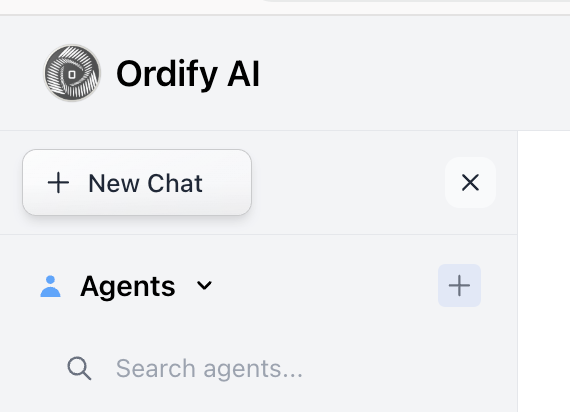
This opens the agent creation modal where you'll configure your agent's profile, capabilities, and knowledge.
Step 2: Use Agent Builder
Click the Agent Builder button to quickly generate your agent's core details.
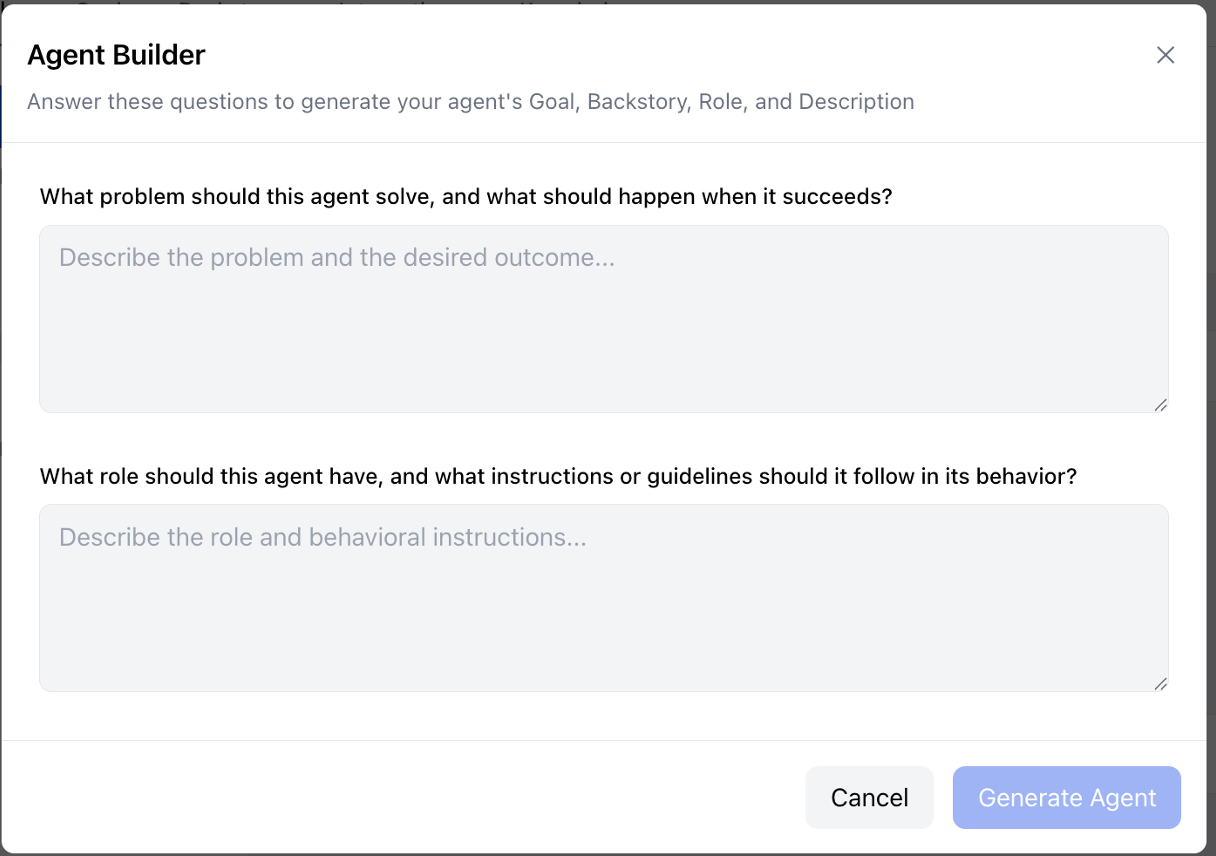
The Agent Builder asks you two key questions:
-
"What problem should this agent solve, and what should happen when it succeeds?"
- Describe the problem and the desired outcome
- This generates your agent's Goal
-
"What role should this agent have, and what instructions or guidelines should it follow in its behavior?"
- Describe the role and behavioral instructions
- This generates your agent's Role, Instructions, and Backstory
Based on your answers, the Agent Builder automatically fills in:
- Goal: What the agent should accomplish
- Instructions: How the agent should behave
- Backstory: The agent's context and background
- Description: A summary of the agent's capabilities
This AI-powered builder saves you time by generating comprehensive agent details from simple descriptions.
Step 3: Add Application Integrations (Optional)
In the Integrations tab, you can connect your agent to external applications and services.
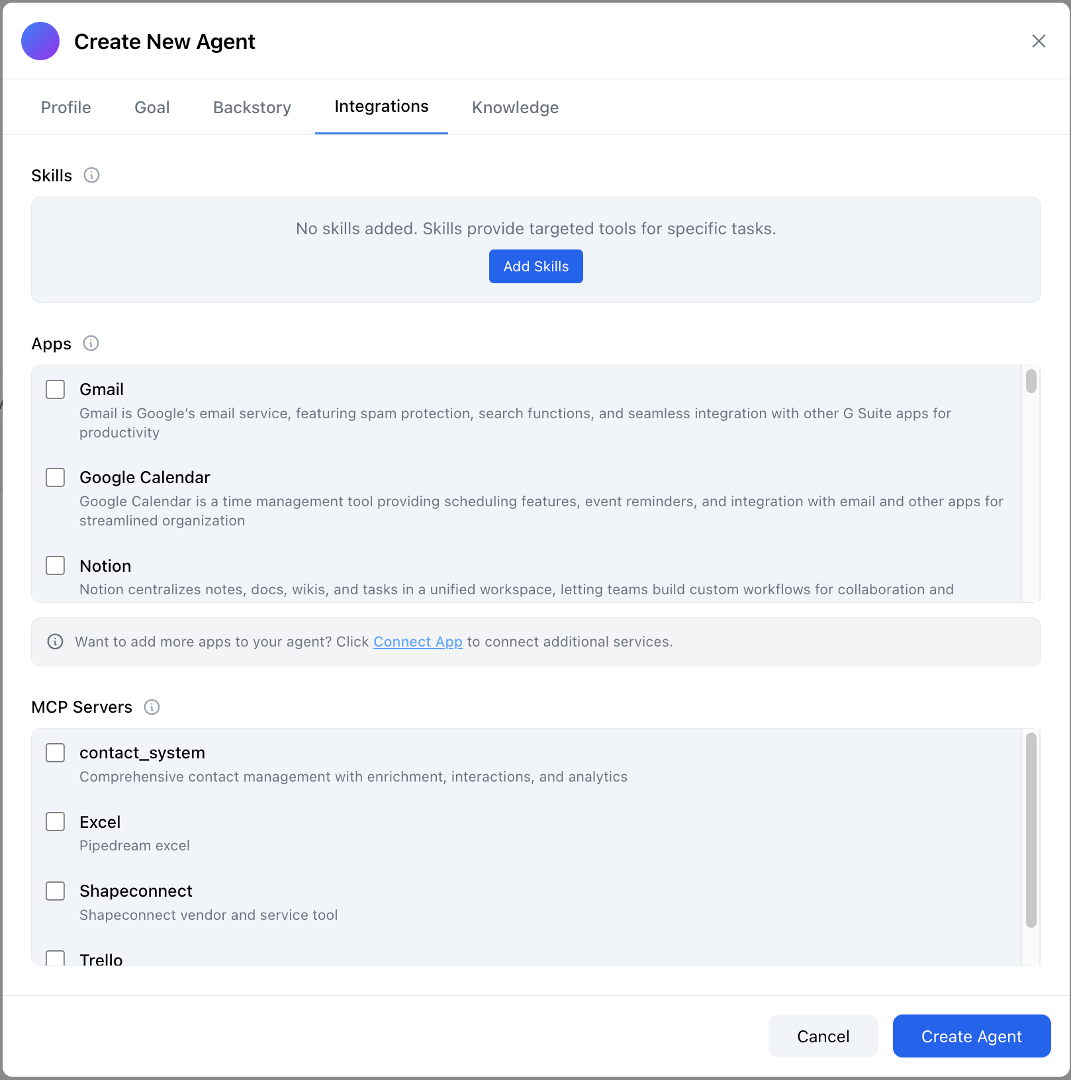
Connect Apps:
- Browse and select from over 3,000 available applications
- Connect popular services like Gmail, Google Calendar, Notion, and more
- Click Connect App to add additional services
MCP Servers:
- Connect custom MCP (Model Context Protocol) servers
- Add specialized tools and services specific to your needs
Once connected, your agent can use these applications to perform tasks, access data, and interact with your existing tools.
Step 4: Add Knowledge Documents (Optional)
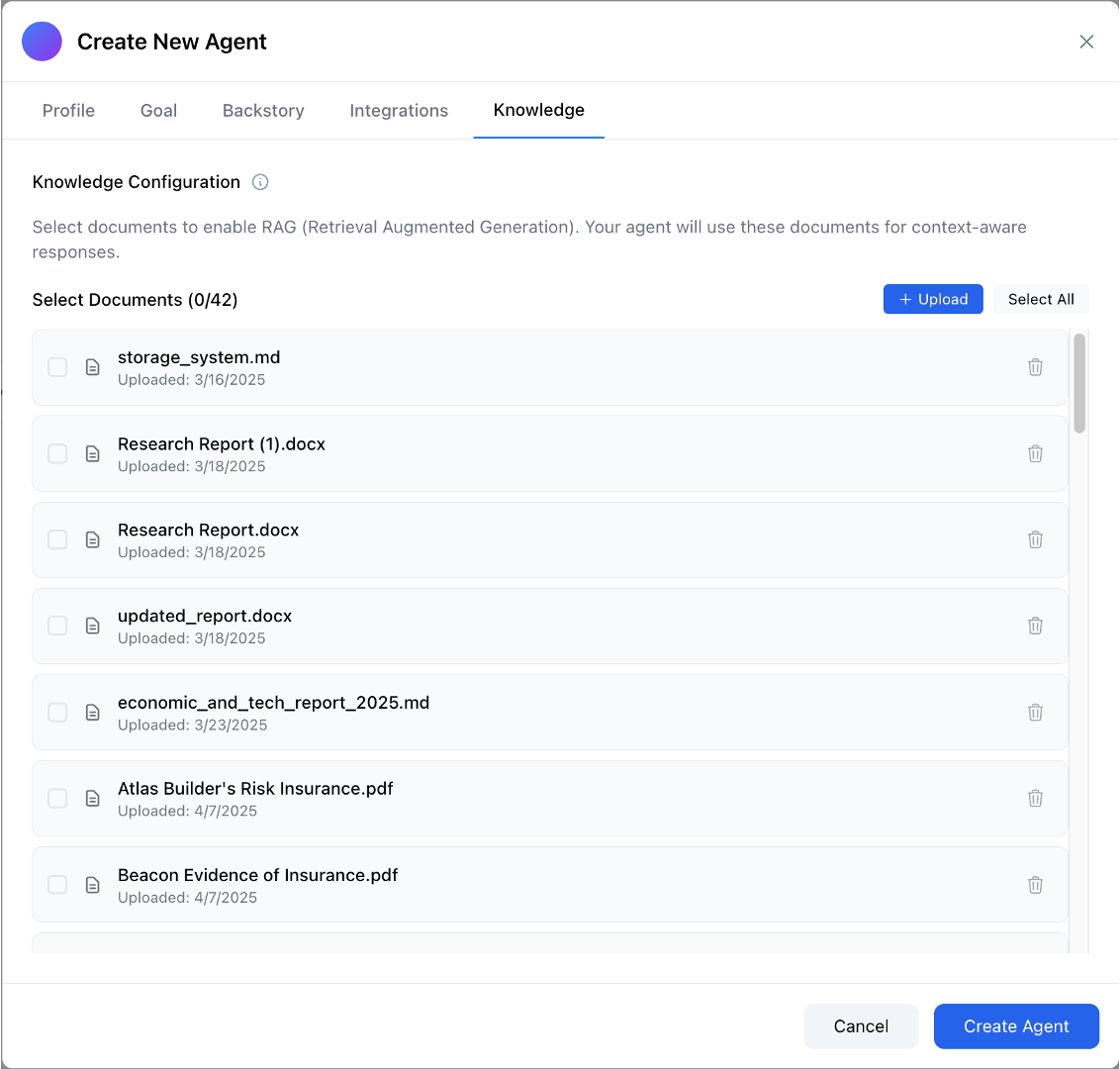
In the Knowledge tab, you can add documents to enable RAG (Retrieval Augmented Generation) for your agent.
What is RAG?
RAG (Retrieval Augmented Generation) is a technique that enriches AI agents with additional knowledge from your documents. Unlike simple document context, RAG allows your agent to:
- Access up-to-date information from your documents
- Reference specific company knowledge, policies, or procedures
- Answer questions based on your proprietary content
- Maintain context from your organization's documents
Knowledge Configuration:
- Select documents to enable RAG for context-aware responses
- Upload new documents using the + Upload button
- Select from your existing document library
- Documents are processed through RAG to provide relevant context when your agent responds
You can use the Document Library to manage your RAG data, upload documents, organize them into folders, and share them with your team. This allows your agent to reference your specific business knowledge, documents, and information when answering questions or performing tasks.
Step 5: Create and Use Your Agent
Once you've configured your agent, click Create Agent to finish. Your agent is now ready to use!
Using Your Agent
Chat Directly with Your Agent
You can interact with your agent in two ways:
- Click on the agent in the left sidebar to open a direct chat
- @mention the agent by name in any conversation to have it answer questions or perform work
Use in Multi-Agent Workflows
Your agent can also be used in Jobs (multi-agent workflows) where multiple agents collaborate to accomplish complex tasks. Simply add your agent to a Job workflow, and it will work alongside other agents to achieve your goals.
What's Next?
- Learn more about Understanding Agents to explore advanced agent capabilities
- Discover how to use agents in Multi-Agent Workflows
- Explore Automation to schedule and trigger agent workflows